
Hyundai Tucson: Steering wheel / Driver selectable steering mode (if equipped)
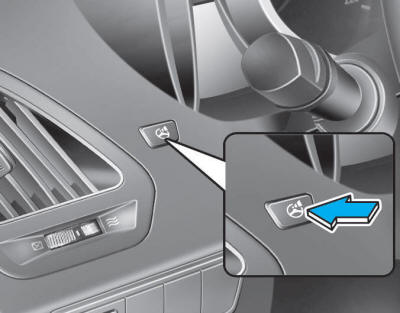
The Driver Selectable Steering Mode controls steering effort as driver's preference or road condition.You can select the desired steering mode by pressing the driver selectable steering mode button. The driver selectable steering mode stays in the last mode selected when turning the engine on.
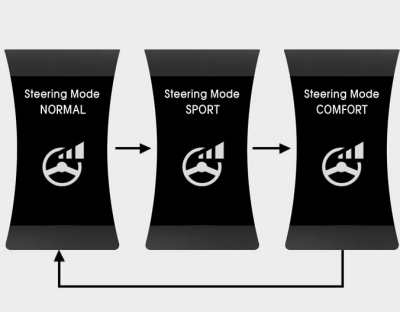
When the steering mode button is pressed, the selected steering mode will appear on the LCD display.
If the steering mode button is pressed within 4 seconds, the steering mode will change as above picture.
If the steering wheel mode button is not pressed for about 4 seconds, the LCD display will change to the previous screen.
NORMAL mode
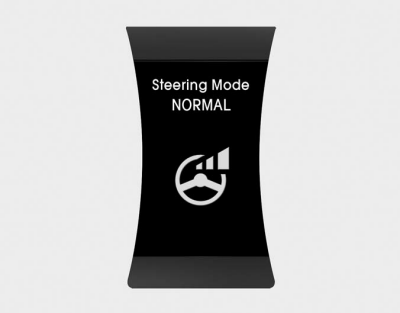
The NORMAL mode offers medium steering effort.
SPORT mode
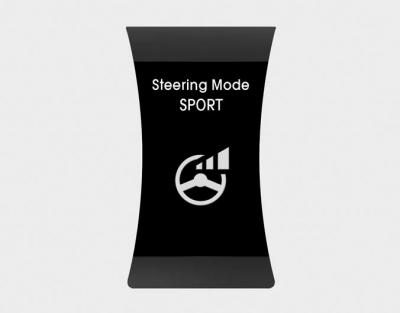
The steering effort becomes heavier
COMFORT mode
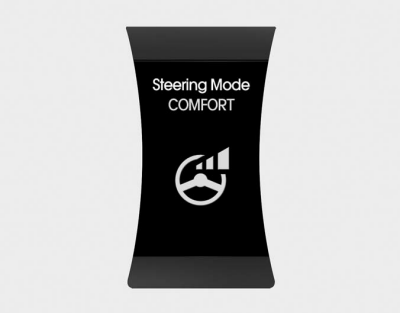
The steering effort becomes lighter in COMFORT mode.
✽ NOTICE
For your safety, if you press the steering mode button to change the mode while turning the steering wheel, the LCD display will change as you have selected, but the steering effort will not change. The steering effort will change to the selected mode, when the steering wheel is positioned to the center.
CAUTION
- Be careful when changing the steering mode while driving.
- When the Electric Power Steering does not work properly, the Driver Selectable Steering Mode will not work.
 Tilt steering/Telescope steering
Pull down the lock-release lever (1) on the steering wheel column and adjust
the steering wheel angle (2) and position (3, if equipped). Move the steering wheel,
so it points toward your chest ...
 Horn
Horn
To sound the horn, press the area indicated by the horn symbol on your steering
wheel (see illustration). The horn will operate only when this area is pressed.
CAUTION
Do not strike the horn s ...
Other information:
Hyundai Tucson (LM) 2010-2015 Owners Manual: Defogging logic
To reduce the possibility of fogging up the inside of the windshield, the air
intake or air conditioning are controlled automatically according to certain conditions
such as or
position. To cancel or return to the
defogging logic, perform the following steps:
Manual climate control system
...
Hyundai Tucson (LM) 2010-2015 Service Manual: Smart Key Repair procedures
Smart Key
Smart Key Code Saving
1.
Connect the DLC cable of GDS to the data link connector (16 pins) in driver side crash pad lower panel, turn the power on GDS.
2.
Select the vehicle model and then do "Smart key code saving".
3.
After selecting "Smart key teaching" menu, push "Enter" k ...
