
Hyundai Tucson: Setup / Display Settings
Press the  key
key
 Select [Display] through
 TUNE knob or
 key
key
 Select menu through
 TUNE knob
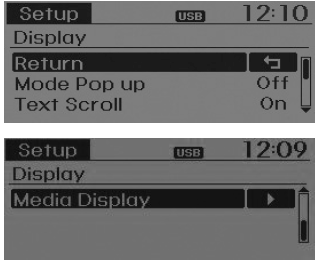
Mode Pop up
[Mode Pop up]  Changes
 /
/
 selection mode
During On state, press the  or
or
 key to display the mode change pop
up screen.
key to display the mode change pop
up screen.
Text Scroll
[Text Scroll]  Set
Set
 /
/

 :Maintains scroll
 : Scrolls only one (1) time.
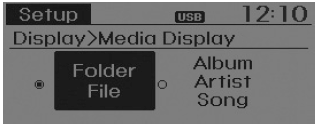
Media Display
When playing an MP3 file, select the desired display info from ‘Folder/File’ or ‘Album/Artist/Song’.
 Setup
Setup
...
 Sound Settings
Press the key
Select [Sound] through
TUNE knob or
key
Select menu through
TUNE knob
Sound Settings
This menu allows you to set the ‘Bass, Middle, Treble’ and the S ...
Other information:
Hyundai Tucson (LM) 2010-2015 Owners Manual: All wheel drive (AWD)
The All Wheel Drive (AWD) System delivers engine power to all front and rear
wheels for maximum traction.
AWD is useful when extra traction is required on roads such slippery, muddy,
wet, or snow-covered roads.
Occasional off-road use such as established unpaved roads and trails are OK.
It i ...
Hyundai Tucson (LM) 2010-2015 Service Manual: Variable Intake Solenoid (VIS) Valve Description and Operation
Description
Variable Intake manifold Solenoid (VIS) valve is installed on
the intake manifold. The VIS valve controls the vacuum modulator which
activates a valve in the intake manifold. The ECM opens or closes this
valve according to engine condition (Refer to below table).
Engine condi ...
