
Hyundai Tucson: CD Player : AC110TMKN, AC1B0TMKN, AC1B1TMAN / System settings
Press the  key
key  Select [System] through tune knob or
 key
key
 Select menu through
 TUNE knob
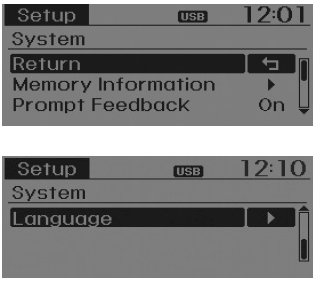
Memory Information
Displays currently used memory and total system memory.
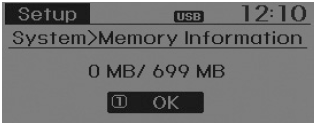
Select [Memory Information]  OK The currently used memory is displayed on the left side while the total
system memory is displayed on the right side.
OK The currently used memory is displayed on the left side while the total
system memory is displayed on the right side.
Prompt Feedback
This feature is used to change voice command feedback between Normal and Expert modes.
Select [Prompt Feedback]
 Set through
 TUNE knob
- On : This mode is for beginner users and provides detailed instructions during voice command operation.
- Off : This mode is for expert users and omits some information during voice command operation. (When using Expert mode, guidance instructions can be heard through the [Help] or [Menu] commands.
Language
This menu is used to set the display and voice recognition language. Select [Language]
 Set through
 TUNE knob
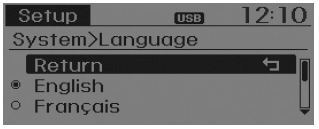
� The system will reboot after the language is changed.
� Language support by region - English, Francais, Espanol
 Clock Settings
Press the key
Select [Clock] through
TUNE knob or
key
Select menu through
TUNE knob
Clock Settings
This menu is used to set the time. Select [Clock Settings] ...
 Radio : FM, AM OR XM
Seek
Press the
key
Shortly pressing the key (under 0.8 seconds): Changes the frequency.
Pressing and holding the key (over 0.8 seconds): Automatically searches
for the next frequen ...
Other information:
Hyundai Tucson (LM) 2010-2015 Service Manual: Components and Components Location
Component Location
1. Panoramaroof2. Panoramaroof switch3. Panoramaroof motor & controller
Components
1. Panoramaroof frame assembly2. Panoramaroof impact cross member assembly3. Panoramaroof mechanism assembly4. Panoramaroof front glass panel assembly5. Panoramaroof moving glass pane ...
Hyundai Tucson (LM) 2010-2015 Service Manual: Smart Key Diagnostic Repair procedures
Inspection
Self Diagnosis With GDS
Smart key system defects can be quickly diagnosed with the
GDS. GDS operates actuator quickly to monitor, input/output value and
self diagnosis.
The following three features will be major problem in SMART KEY system.
1.
Problem in SMART KEY unit input.
...
