
Hyundai Tucson: Heating and air conditioning / Air intake control
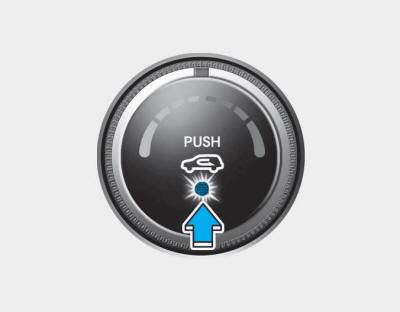
The air intake control button is used to select the outside (fresh) air position or recirculated air position.
To change the air intake control position, push the control button.
Recirculated air position

The indicator light on the button illuminates when the recirculated air position is selected.
With the recirculated air bposition selected, air from the passenger compartment will be drawn through the ventilation system and heated or cooled according to the function selected.
Outside (fresh) air position

The indicator light on the button does not illuminates when the outside (fresh) air position is selected.
With the outside (fresh) air position selected, air enters the vehicle from outside and is heated or cooled according to the function selected.
✽ NOTICE
Prolonged operation of the heater in the recirculated air position (without air conditioning selected) may cause fogging of the windshield and side windows and the air within the passenger compartment may become stale. In addition, prolonged use of the air conditioning with the recirculated air position selected will result in excessively dry air in the passenger compartment.
WARNING
- Continued use of the climate control system operation in the recirculated air position (without the air conditioning selected) may allow humidity to increase inside the vehicle which may fog the glass and obscure visibility.
- Do not sleep in a vehicle with the air conditioning or heating system on. It may cause serious injury or death due to a drop in the oxygen level and/or body temperature.
- Continued use of the climate control system operation in the recirculated air position can cause drowsiness or sleepiness, that may cause loss of vehicle control resulting in an accident. Set the air intake control to the outside (fresh) air position as much as possible while driving.
 Temperature control
The temperature control knob allows you to control the temperature of the air
flowing from the ventilation system.
To change the air temperature in the passenger compartment, turn the knob to
...
 Fan speed control
The ignition switch must be in the ON position for fan operation.
The fan speed control knob allows you to control the fan speed of the air flowing
from the ventilation system.
To change the f ...
Other information:
Hyundai Tucson (LM) 2010-2015 Service Manual: Components and Components Location
Component Location (1)
1. Buzzer2. RF receiver3. Smart key unit4. Interior antenna 15. Interior antenna 26. Interior antenna 37. Bumper antenna
Component Location (2)
1. Door outside handle button.2. Door outside handle3. Liftgate open switch
...
Hyundai Tucson (LM) 2010-2015 Owners Manual: Using Audio CD Mode
Playing/Pausing CD Tracks
Once an audio CD is inserted, the mode will automatically start and begin playing.
While playing, press the
button to pause and press button
to play.
✽ NOTICE
Only genuine audio CDs are supported. Other discs may result in recognition
failure ...
